

The Ultimate Guide on How to Repost on Instagram
Instagram has become one of the most popular social media platforms, with millions of users sharing their photos, videos, and stories every day. Sometimes, you come across a post that resonates with you, whether it’s a beautiful image, an inspiring quote, or a funny video. Instead of just liking or commenting on it, why not share it with your followers? In this guide, we’ll explore various methods on how to repost on instagram post, giving you the tools to share with style.
Understanding Instagram’s Reposting Policy
First and foremost, it’s crucial to understand Instagram’s reposting policy. Instagram does not have a built-in repost feature, which means you cannot simply share someone else’s post to your feed without using a third-party app or getting permission. Copyright laws apply to social media content, and reposting without permission may cause issues. Always consider asking for permission from the original poster before sharing their content.
Methods to Repost on Instagram
1. Manual Reposting
This method involves taking a screenshot of the post you want to share and then uploading it to your Instagram feed or story. Here’s how to do it:
- Find the post you want to repost.
- Take a screenshot of the post (make sure to capture the entire image).
- Edit the screenshot if necessary using photo editing apps to crop or enhance the image.
- Upload the edited screenshot to your Instagram feed or story.
- Give credit to the original poster in the caption, tagging them if possible.
2. Using Repost Apps
Several third-party applications simplify the reposting process. These apps allow you to share any post while automatically crediting the original user. Popular repost apps include:
- Repost for Instagram: This app allows you to repost photos and videos quickly without the need for a screenshot, while also maintaining the original post’s quality.
- Repost: For Instagram: Similar to the previous app, this one provides various options for how the repost will appear on your feed, including styles for credits.
- Regrammer: A straightforward app that allows for quick reposting and has options to customize credits.
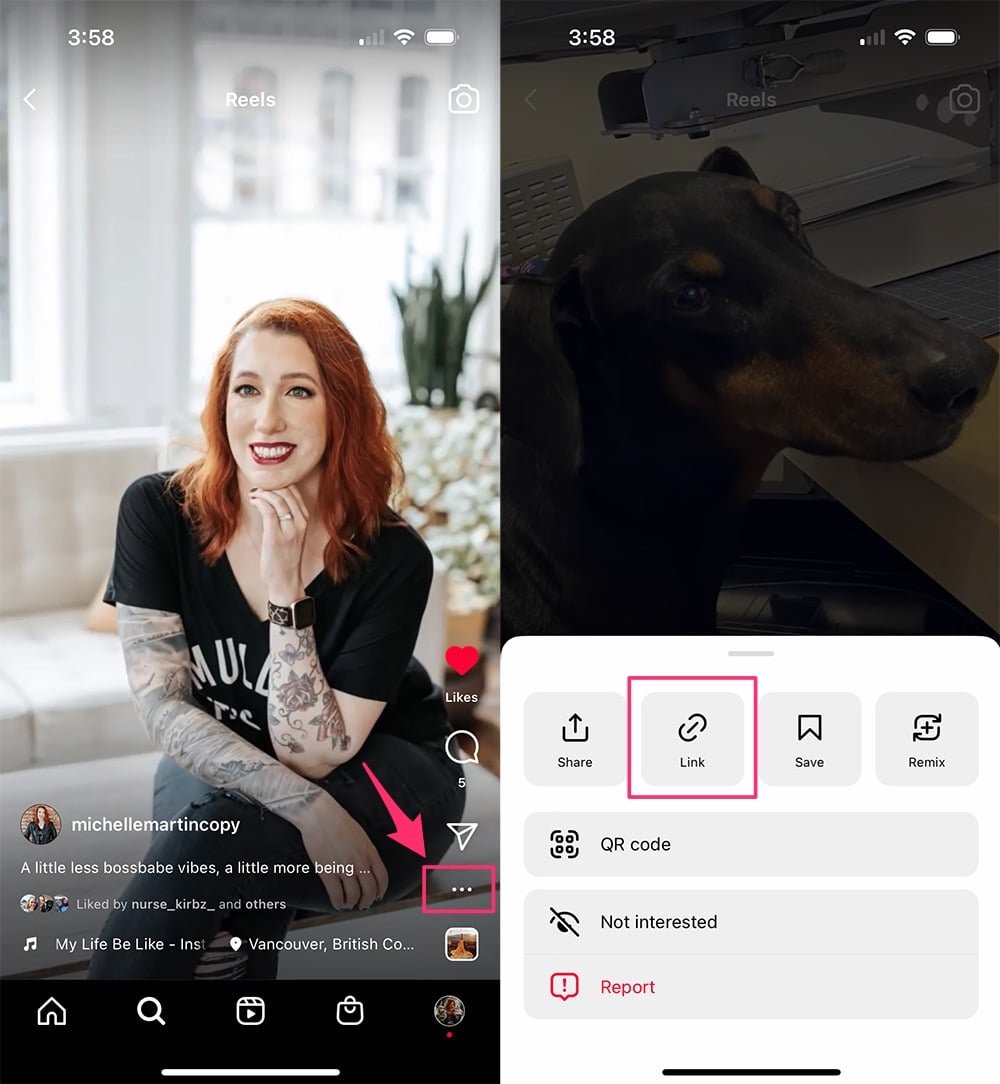
To use these apps, simply copy the link of the Instagram post you want to share, open the repost app, and follow the prompts to share the content seamlessly.
3. Sharing in Your Stories
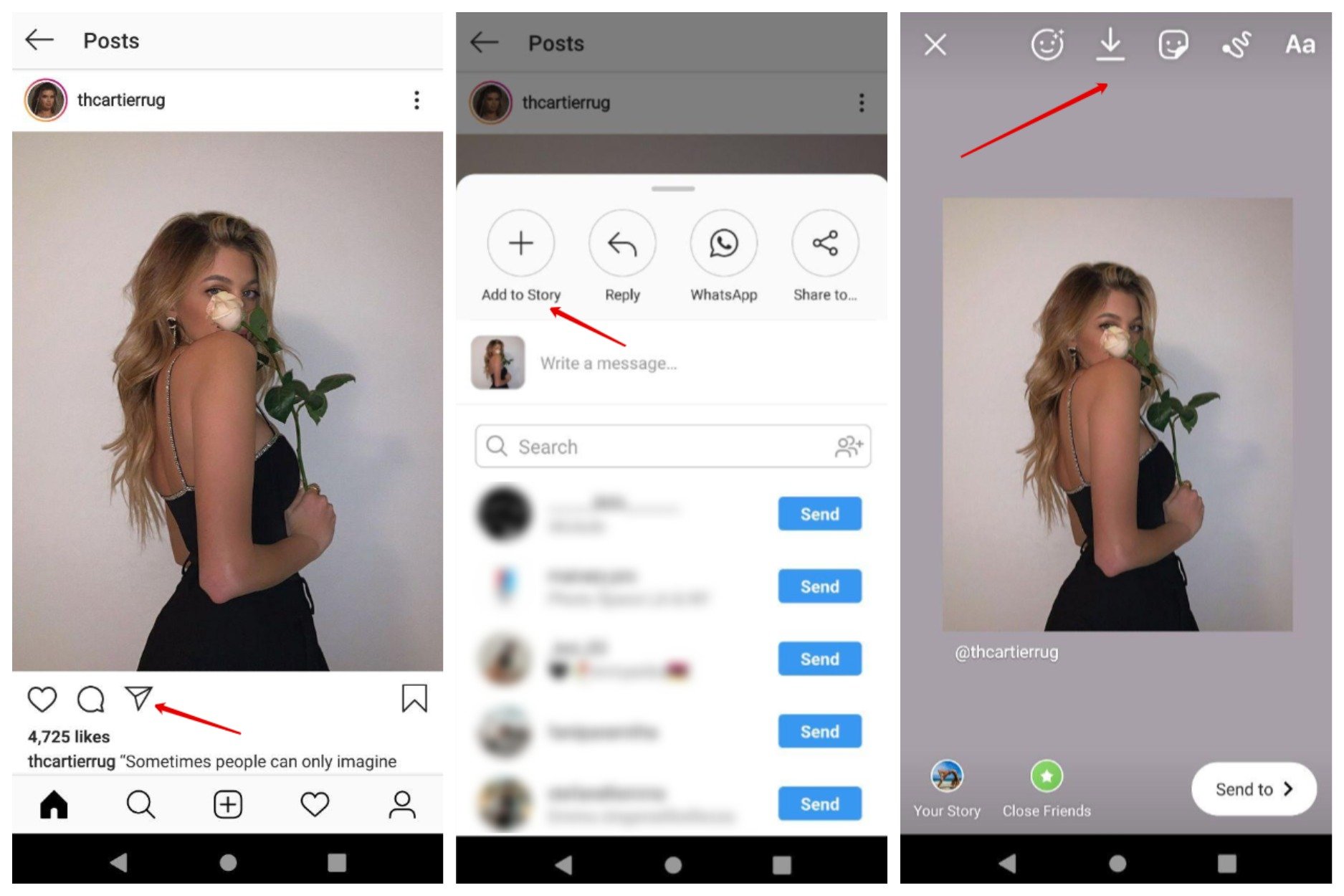
If you want to share a post temporarily, consider adding it to your Instagram Story. This won’t permanently appear in your feed, allowing for a casual sharing experience. Here’s how:
- Find the post you want to share.
- Tap on the paper airplane icon below the post.
- Select “Add post to your story.” This will create a temporary story with the original post.
- Add any additional stickers, text, or effects to customize your story.
- Share it on your story.
Best Practices for Reposting on Instagram
While reposting can enhance your content, it should be done thoughtfully. Here are some best practices to consider:
- Always Give Credit: Make sure to mention the original creator and tag them in your repost. This shows respect for their work and encourages a positive community on Instagram.
- Choose Quality Content: Only repost high-quality posts that fit your brand aesthetic or message. This helps maintain your profile’s overall look and feel.
- Caption Your Posts: When reposting, add your thoughts or insights related to the content. This provides context and engages your audience more effectively.
- Respect Boundaries: If a user has explicitly stated not to repost their content, respect their wishes. Consent is critical.
- Check for Privacy Settings: Keep in mind that if an account is private, you won’t be able to repost their content unless you get permission directly.
Conclusion
Reposting on Instagram is a fantastic way to share valuable content with your followers while building community and engagement. Whether you opt for manual reposting, use an app, or share posts in your stories, always ensure you’re giving the proper credit and adhering to best practices. By doing so, you’ll not only enhance your content but also cultivate positive relationships within the Instagram community. With these guidelines in mind, you are now fully equipped to repost like a pro!